
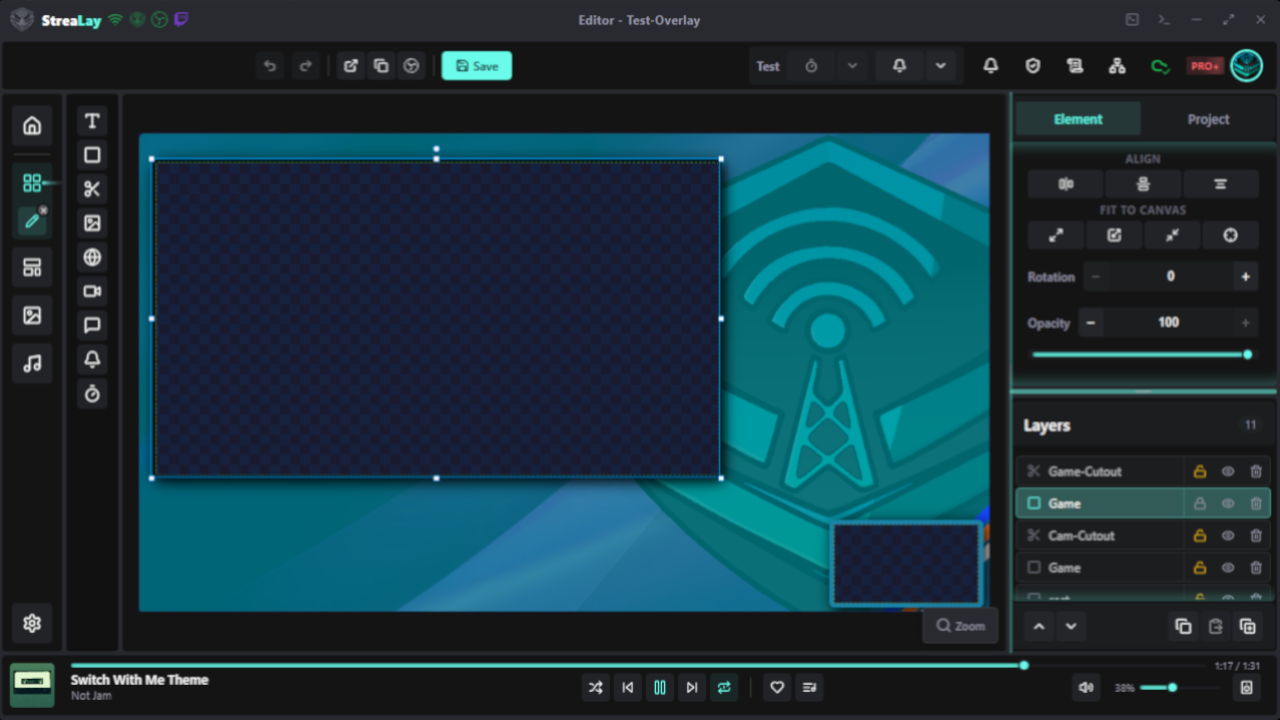
Pixel-precise canvas editor
Design overlays with 9 element types - text, image, video, audio, timer, countdown, alerts and more. Drag, drop, arrange and save.
Build overlays, queue Twitch alerts, manage music and control OBS - without leaving your stream.
No download available yet - check back soon.
From overlay design to live alerts - all tools in one place.
Design overlays with 9 element types - text, image, video, audio, timer, countdown, alerts and more. Drag, drop, arrange and save.
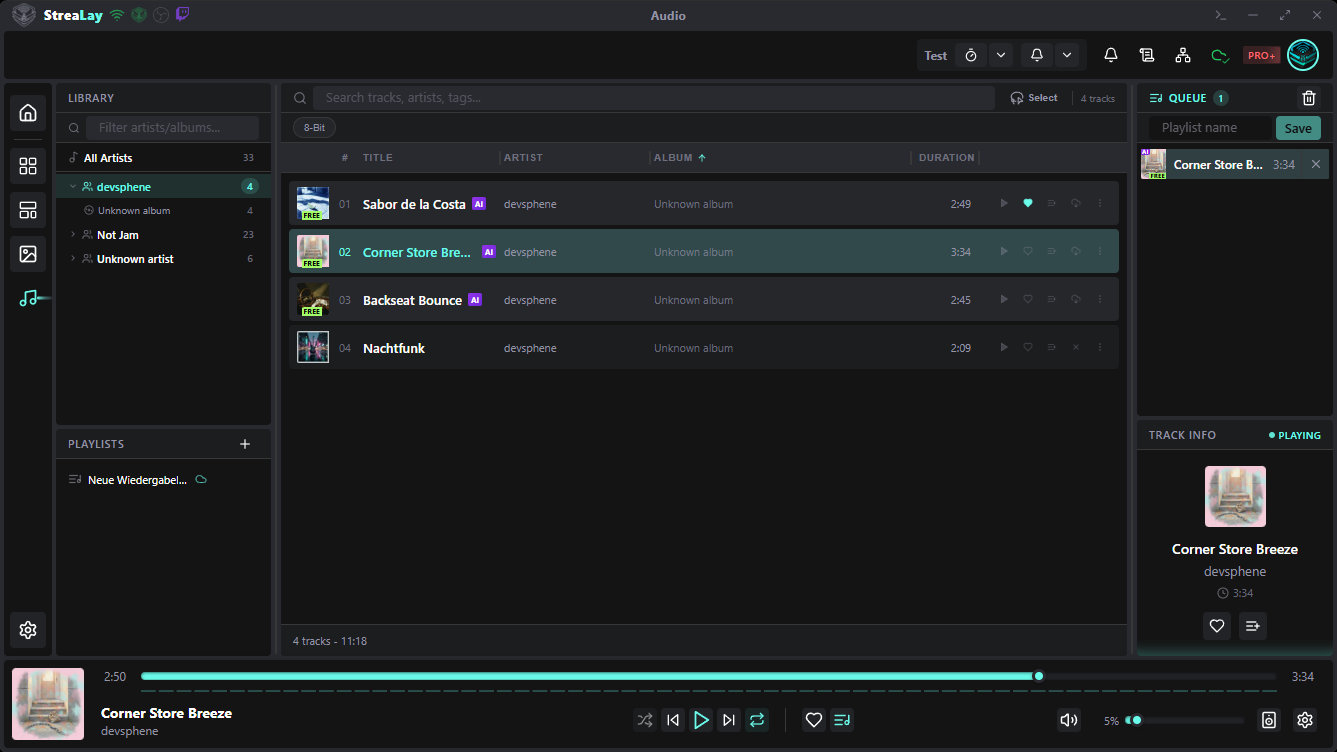
Server tracks, local files and playlists in one view. HLS streaming with offline caching, queue, repeat and favorites.
Follows, subscriptions and more are queued per project, played sequentially, with history and instant replay.
A custom browser dock for OBS Studio. Control queue, history, music and theme directly from OBS.
Optional cloud sync keeps projects, audio and settings in sync. Resolve conflicts and export backups.
6 customizable base colors, built-in presets and a fully theme-aware UI that applies instantly.
No complicated setup. Get your first overlay running in minutes.
Download StreaLay, run the installer and sign in with Twitch, Discord or email.
Pick a template or start from scratch, add elements and connect your OBS browser source.
Queue alerts, control music and let your stream look exactly the way you want.
Design overlays with drag, drop and 9 element types.
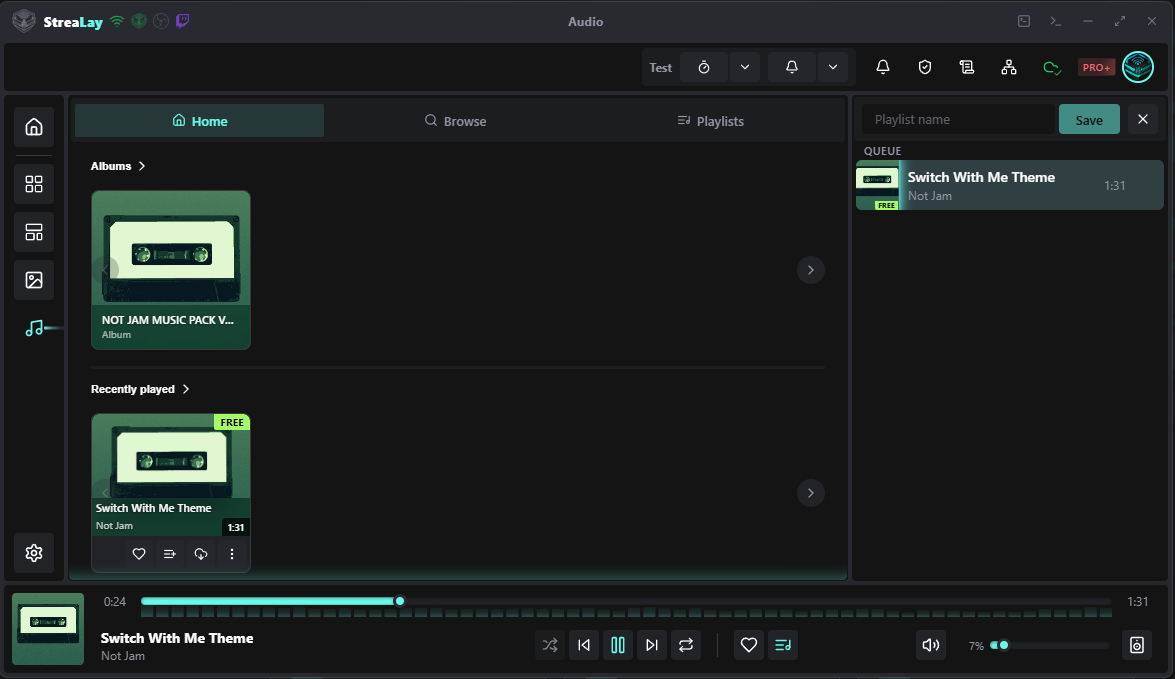
Server tracks, local files and playlists in one view.
Queue follows, subs and more per project.
See your overlay update in real time as you tweak position, size and effects - no second screen needed.
The network window shows exactly which audio, browser or OBS source goes where and highlights errors before they break your stream.
Browse, search and sync all cloud projects and assets from a dedicated popout window.
Manage images, videos, audio and fonts in one place. Tiles, list and details views plus sync badges keep every asset organised.
Every overlay and alert is served as a self-contained browser source URL - just paste it into OBS, SLOBS or any tool that accepts a browser source.
Start from built-in overlays and alert layouts or save your own as reusable templates.
Download StreaLay and start building your first overlay today.